Back in August 2023, we launched Testfully Offline, a powerful API Client and API Testing tool that works entirely offline, ideal for users and organizations that prioritize data ownership and security. Since then, we continued to enhance Testfully Offline and kept the feature parity with Testfully Cloud. Today, we’re tackling a significant challenge: collaboration in air-gapped environments.
The Challenge of being fully offline and air-gapped
Testfully Offline was designed to operate without any internet connection, and no server component for data storage. Once you install the app, all you need to use the app is your computer. This works great for individual developers, but what if you’re part of a team and want to share your collections with your teammates?
Up until now, the only way to share your collections in Testfully Offline was to export and import them manually. This would work for a one time transfer, but what if the collection is a living document that changes frequently? You definitely don’t want to be exporting and importing files all the time.
Turns out that has been the scenario for our source code for years, and the way we fixed it was with Git repositories. So we thought, why not use Git to enable collaboration in air-gapped environments?
Testfully Markup Language (TFML)
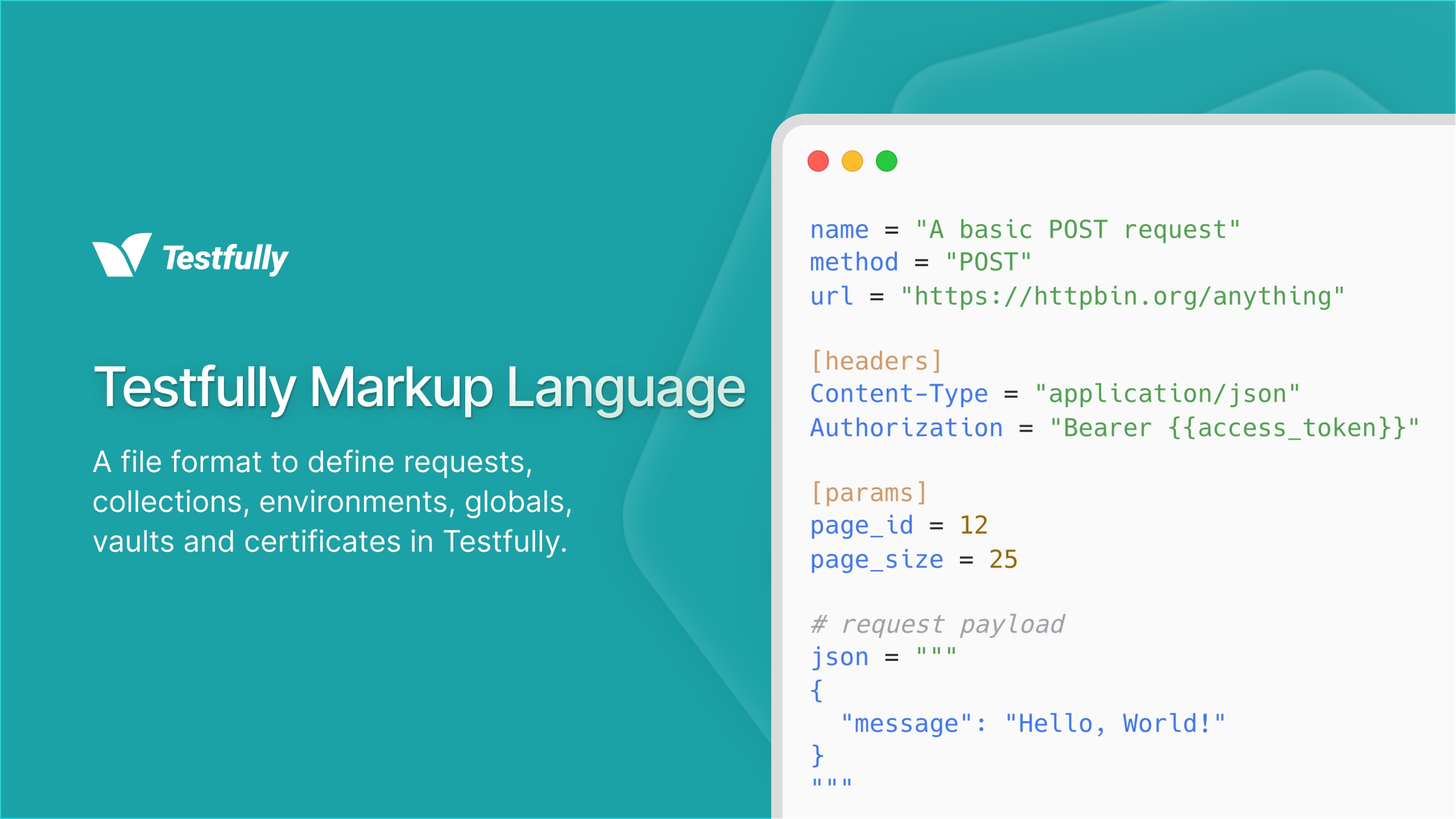
Once we decided to use Git for collaboration, we needed a way to represent your data in a workable format. We could have used the existing JSON format that Testfully exports and imports, but we quickly realized that JSON has the following shortcomings:
- It’s one large blob of data, which makes it hard to track changes and resolve conflicts.
- It’s not human-readable at a glance, which makes it hard to review changes and understand the structure of the data.
- It’s not easy to edit manually, which makes it hard to make quick changes without using the app.
- It doesn’t lend itself well to modularization, which makes it hard to reuse parts of the data across different collections.
- and the list goes on…
So we decided to go down the route of representing the data in your workspace as a set of directories and files, while keeping the shortcomings of JSON in mind. We wanted a format that is:
- Easy to read and write for humans, computers and LLMs.
- Easy to track changes and resolve conflicts in a Git repository.
- Easy to edit manually, without using the app.
- Has a simple syntax that is easy to learn and use, ideally using an existing format that is widely supported.
- Editor support with syntax highlighting, autocompletion, and linting.
We looked at existing formats like YAML, TOML, Markdown and HAR file format, we even considered having our own custom format. At the end, we decided that TOML is the best fit for our needs. It’s a simple, human-readable format that is easy to learn and use. It has a simple syntax that is easy to parse and generate. It has a wide range of editor support, including syntax highlighting, autocompletion, and linting. And it has a growing ecosystem of tools and libraries.
We call this new format Testfully Markup Language (TFML), and it is the foundation of our new collaboration feature in Testfully Offline and beyond.
What does TFML look like?
Well, TFML files are just TOML files with a .toml extension. Here is an
example of defining a simple GET request in TFML:
# httpbin/anything.toml

name = "Anything"
method = "GET"
url = "https://httpbin.org/anything"
Collections, folders, environments, globals, vaults, certificates and requests are all represented as directories and files in TFML. To learn more about TFML, check out the TFML documentation.
What has changed in Testfully Offline?
To support collaboration using Git and TFML, we have introduced the following features to Testfully Offline:
File-based Collections
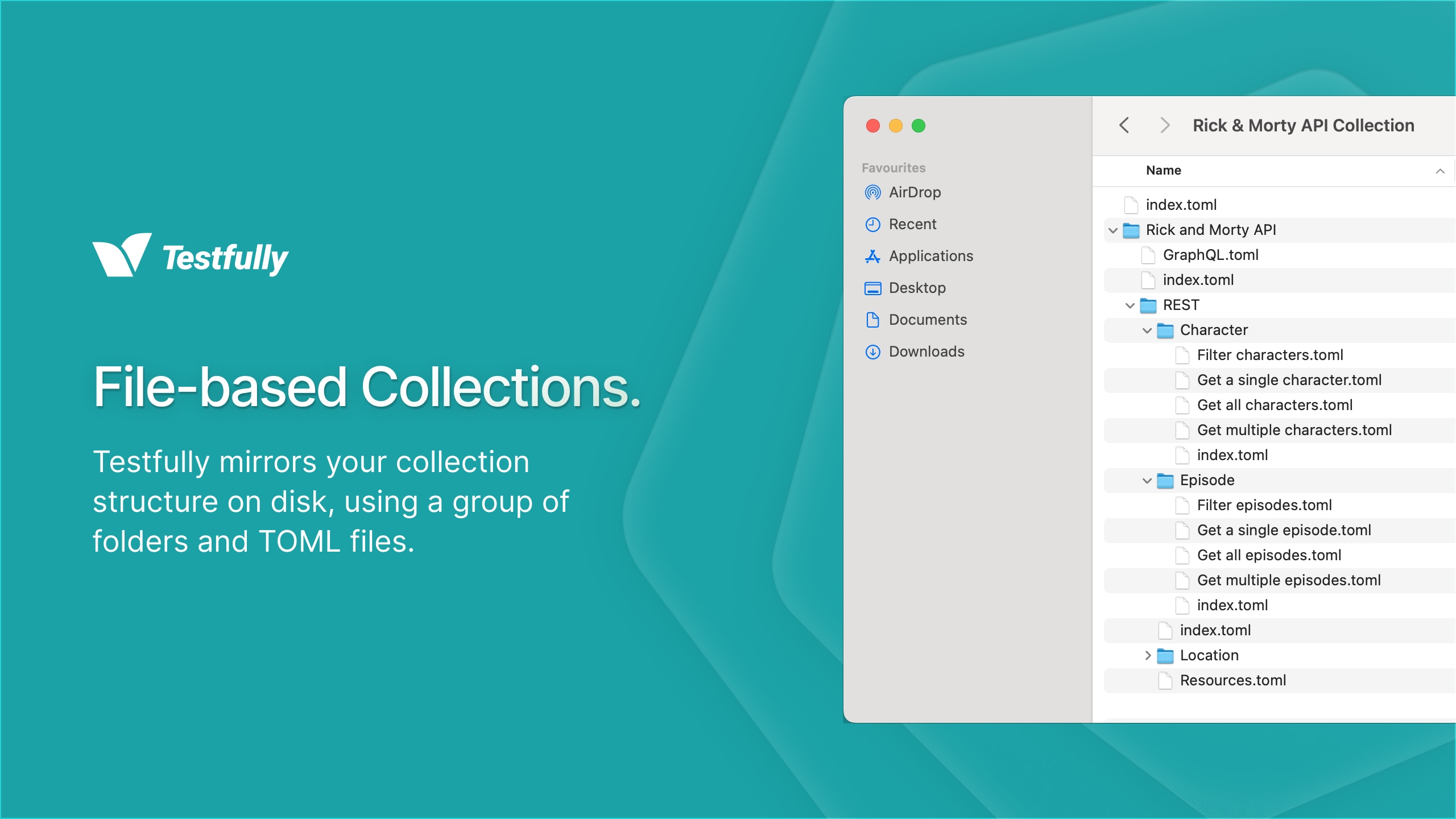
By default, your collection data is stored in a single SQLite database file. Now, when you create a new collection, you have the option to create a file-based collection, which stores your collection data as a set of directories and files in TFML format. You can choose the location of the collection on your file system, and you can open any existing file-based collection by selecting the root directory of the collection.
How to create a file-based collection
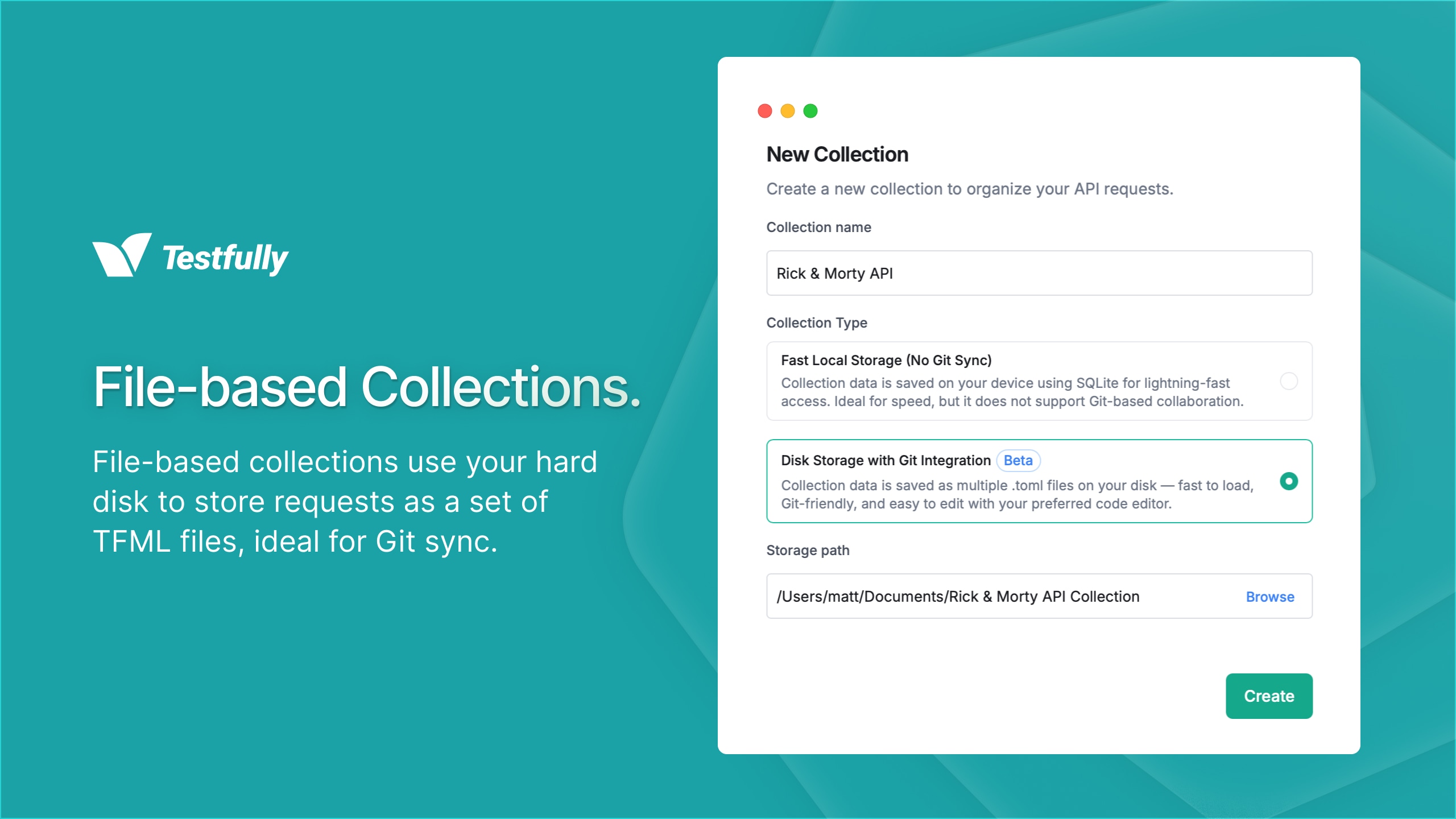
- Click on the
+button on the Collections sidebar. - Click on the New Collection button.
- Enter a value for the Collection Name field.
- Select the Disk Storage with Git integration option.
- Click on the Browse button to select the location of the collection on your file system.
- Click on the Create button to create the collection.
Remember, file-based workspaces always use file-based collections, so no need to create a file-based collection separately if you’re creating a file-based workspace. This feature is only for users who want to use file-based collections within an existing local workspace that uses SQLite database for storage.
File-based Workspaces
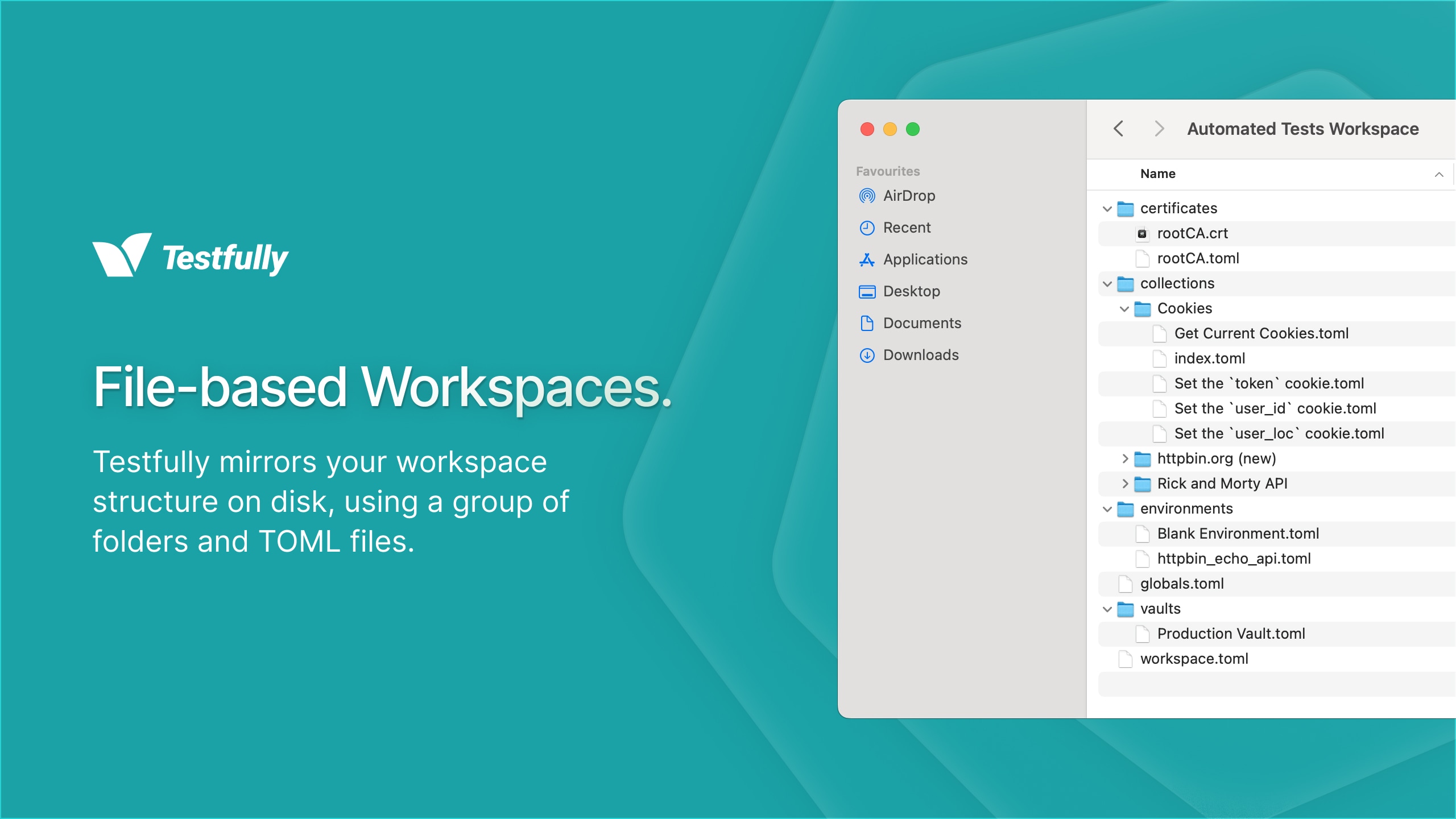
Similar to collections, your workspace data is also stored in a single SQLite database file. Now, when you create a new workspace, you have the option to create a file-based workspace, which stores your workspace data as a set of directories and files in TFML format. You can choose the location of the workspace on your file system, and you can open any existing file-based workspace by selecting the root directory of the workspace.
How to create a file-based workspace
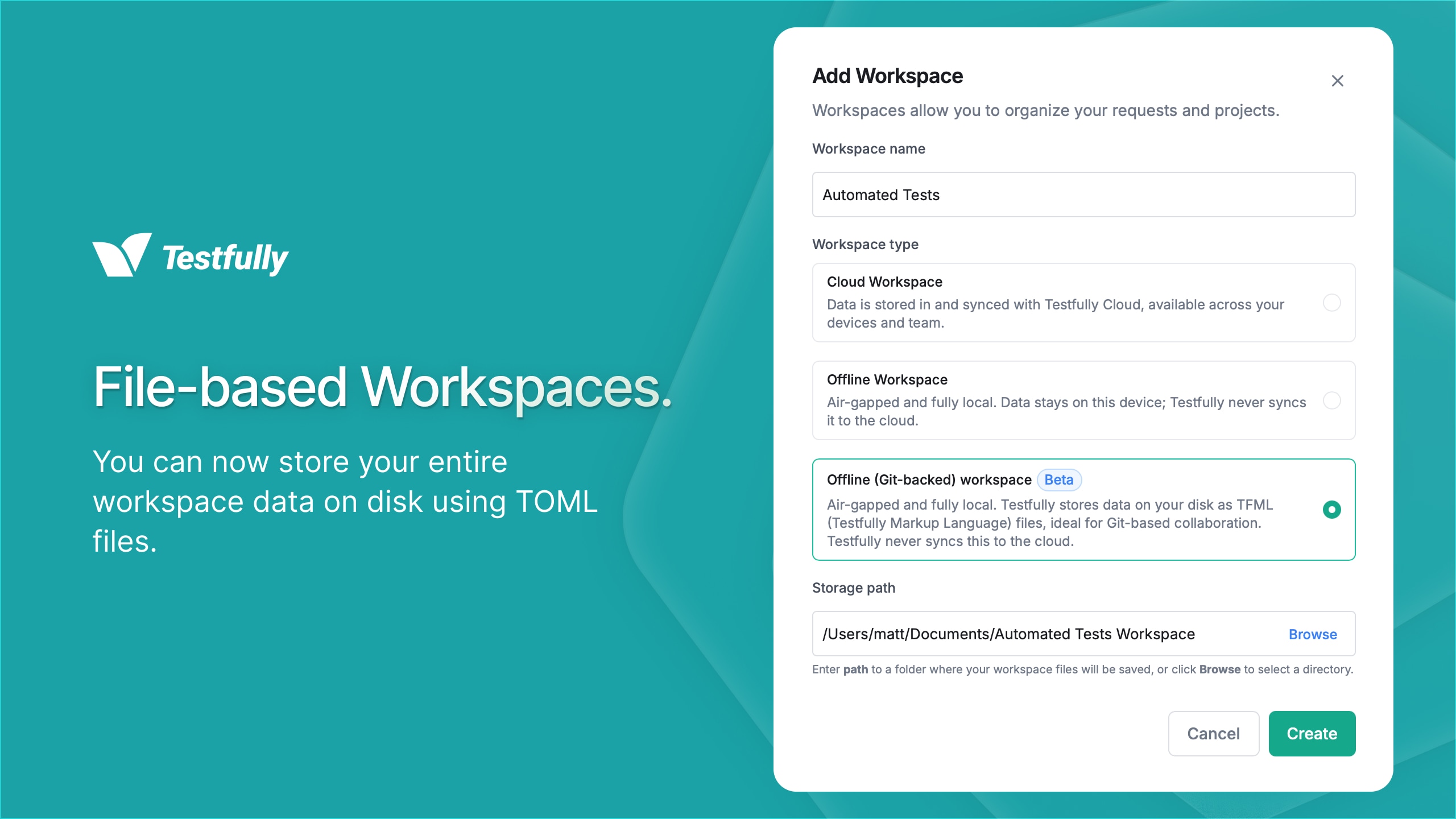
- Click on your profile name on the bottom left corner of the app.
- Click on the Add a new workspace button.
- Enter a value for the Workspace Name field.
- Select the Offline (Git-based) workspace option.
- Click on the Browse button to select the location of the workspace on your file system.
- Click on the Create button to create the workspace.
Git Collaboration
With Testfully reading and writing your data as files, your hard drive becomes the single source of truth for your collections and workspaces. This means you can push your data to a Git repository, pull it to fetch the latest changes, and branch your work to try out new ideas. Once it’s time to share your workspace with your team, you just need to give them access to the Git repository, and they can clone it to their local machine and open it in Testfully Offline.
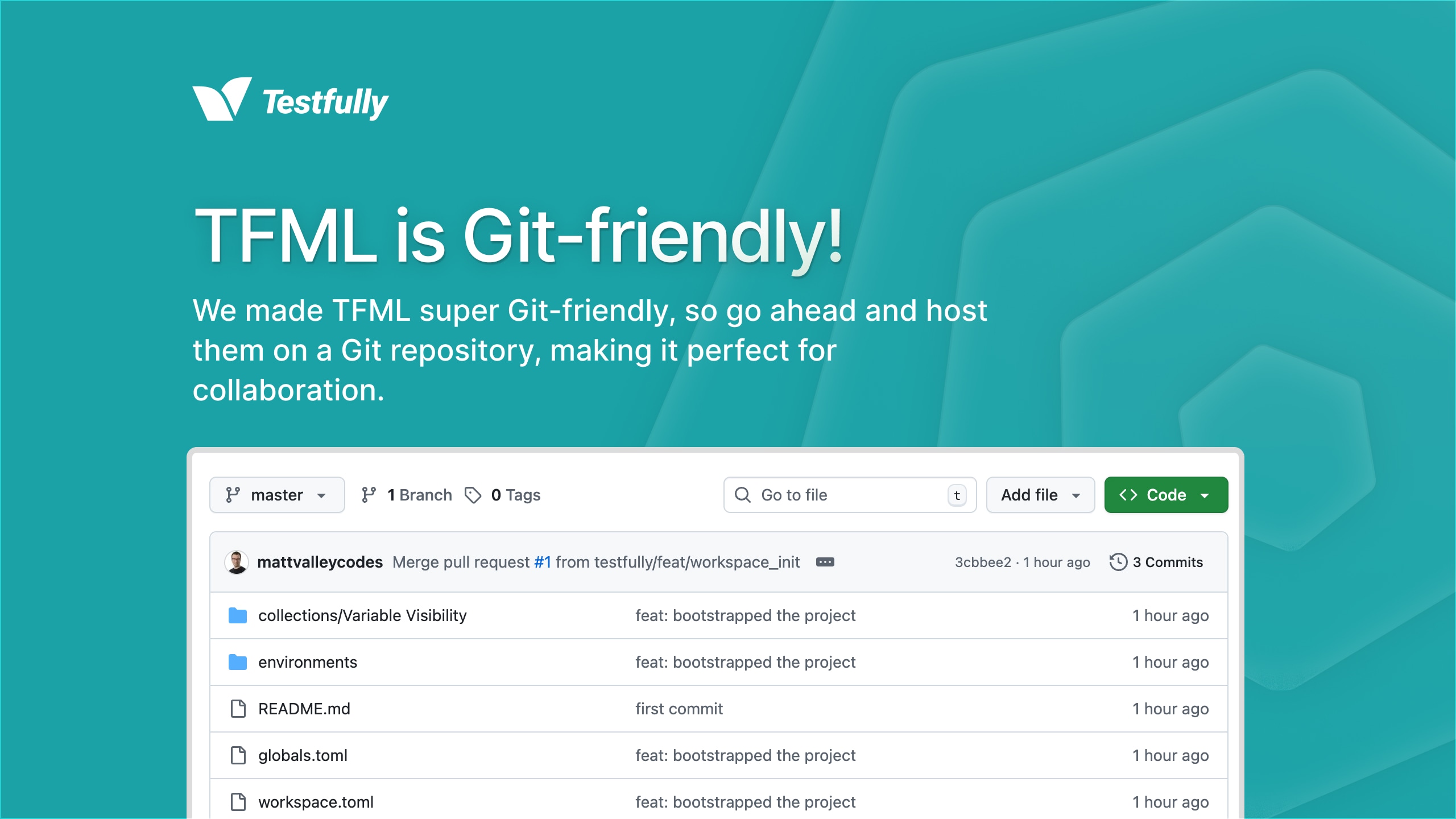
We intentionally did not build a Git integration into the app, as we wanted you to have the freedom of using any Git client you like, with any Git repository hosting service you prefer. Whether it’s GitHub, GitLab, Bitbucket, or an on-premise Git server, it doesn’t matter. You can use the command line, GUI clients like GitKraken, SourceTree, Fork, or even IDEs like VS Code, JetBrains, or GitHub Desktop. The choice is yours.
Co-locating with your source code
Since your workspace data is now just a set of files, nothing stops you from co-locating it with your source code. In fact, we highly recommend it and use it internally.
A workspace or collection can be placed anywhere on your file system. It doesn’t need to be root of a Git repository.
If you’re building an API, you can create a .testfully directory in your
repository, and create your file-based workspace inside it. For mobile and
front-end developers, use the same approach to co-locate your requests with
your source code.
It doesn’t need to be a Git repository
While we think a Git repository is the best companion for file-based collections and workspaces, it’s not a requirement. You can place your collection or workspace on a shared network drive as well. This way, your teammates can access it in real-time, without needing to clone a Git repository and pull changes. Just make sure everyone has the necessary permissions to access the shared drive.
Limitations and future plans
While we’re excited about TFML, we acknowledge that it’s just the first iteration of a long journey. There are still rough edges to smooth out, and features to add. Here are some of the limitations and future plans we have in mind for TFML and file-based collections and workspaces:
-
No real-time syncing. If you’re using a shared network drive, or switching between branches in a Git repository, or changing files outside of Testfully, you will need to refresh the app (right click and select “Refresh”) to see the latest changes. We’re working on a two-way syncing mechanism to automatically detect changes and update the app in real-time.
-
No file-based request history. Request history is a feature that shows you the past requests you’ve sent, along with their responses. Currently, requests are stored in the SQLite database, and not in TFML files. This is not currently a priority for us, but we’re going to tackle it in 2026.
-
No Git GUI. As mentioned earlier, we intentionally did not build a Git integration into the app. It was part time decision, part lack of resources, and part philosophical. Although we don’t have a dedicated Git GUI now, we will consider adding one in the future if there’s enough demand. What we know is that with GUI, you will be able to continue using your favorite Git client, and we don’t want to take that away from you.
Beyond Testfully Offline
Testfully Markup Language (TFML) is not limited to Testfully Offline and a storage format for file-based collections and workspaces. We envision TFML as a file format that can be used across all Testfully products, including Testfully Cloud, Testfully CLI and future products.
Some of the upcoming features and integrations we have in mind for TFML are:
-
Import and export TFML in Testfully Cloud. You will be able to import and export your collections and workspaces in TFML format, making it easy to switch between Testfully Cloud and Testfully Offline.
-
TFML support in Testfully CLI. You will be able to create, manage and run your collections and workspaces in TFML format using the command line.
-
Code Editor integrations. We will be working on extensions for popular code editors like VS Code and JetBrains to provide a way to run requests and collections without leaving your editor of choice, using TFML files.
-
MCP support. We will be working on our MCP server that can execute TFML files, giving your coding agents the ability to run requests and collections defined in TFML format.
-
Context for LLMs. We’re currently working on an open source project called
contextwhich provides relevant context to LLMs, including coding agents. This way, your coding agents can understand and work with TFML files natively.
Testfully Offline full license giveaway
Since you made it this far, here’s a little gift for you: The file-based
workspace is a paid feature in Testfully Offline, but if you drop us an email at
matt@testfully.io, we will give you a free full license for Testfully Offline,
which includes many features including:
- Unlimited workspaces (file-based and database-based), free version only offers one workspace.
- Access to AWS Secrets Manager integrations.
- Access to file-based workspaces.
- Access to all future features and updates with a lifetime perpetual license, given to you for free as a token of our appreciation.
Terms and conditions
-
Email us from your work email address. We want to make sure we’re giving licenses to real users and not bots or spammers.
-
Offer is valid until September 30, 2025 and is limited to the first 100 responses.
-
You cannot sell or transfer the license to anyone else. The license is non-transferable and non-sublicensable.